

Access Across Devices
Provide users with access to published applications or desktops from supported Windows, Mac, mobile and browser-based clients.
Parallels provides virtual application and desktop delivery, Desktop-as-a-Service, secure workspace access and Mac virtualisation solutions. Form IT Solutions can help you assess which approach fits your users, applications, infrastructure and security requirements.

Virtualisation and digital workspace solutions for users, IT teams and organisations.
Parallels offers several approaches to application and desktop delivery. Parallels Remote Application Server (RAS) supports centrally managed virtual apps and desktops across on-premises, cloud and hybrid environments. Parallels DaaS provides a cloud-native approach that builds on Azure Virtual Desktop.
Parallels Secure Workspace and Browser Isolation address browser-based access to applications, files and web resources. Parallels Desktop for Mac Business and Enterprise editions support organisations that need Windows or other virtual machines on Mac devices, with business-focused administration and deployment controls.
The best fit depends on your application requirements, existing infrastructure, device estate, identity controls, user experience and operating model.

Parallels technology for modern applications and digital workspaces
Virtualisation and workspace technology can help organisations deliver the applications users need while maintaining central oversight of access, configuration and infrastructure.
Provide users with access to published applications or desktops from supported Windows, Mac, mobile and browser-based clients.
Manage published resources, user access and relevant policies from a centrally administered environment, depending on the chosen product.
Choose an approach that aligns with supported public cloud, on-premises and hybrid infrastructure options.
Consider authentication, access policies, device controls and isolated browsing features to help protect applications and company information.
Deliver particular Windows applications remotely, or run Windows and other supported virtual machines locally on Mac computers.
Assess how centralised provisioning, automation and licensing management could reduce manual administration and make the environment simpler to operate.
The Parallels portfolio covers virtual apps and desktops, cloud desktop delivery, secure browser-based workspaces and virtual machines for Mac.
Deliver virtual applications and desktops securely across devices, with centralised management and deployment options for on-premises, cloud and hybrid environments. RAS 21.2 added broader provider flexibility, expanded security controls and Web Client improvements.
A cloud-native Desktop-as-a-Service solution that extends Azure Virtual Desktop with streamlined onboarding and administration, scaling options and tools such as VM scheduling and multi-session host management.
Provide browser-based access to applications, desktops and files through a unified workspace, helping users reach the resources they need from supported devices.
Isolate web sessions to reduce exposure to web-based threats. Available deployment approaches include cloud-based isolation and a Private Access model for selected internal or privately hosted applications.
Run Windows and other virtual machines on Mac computers, with centralised licensing and administration options for teams, as well as deployment integrations with Mac management tools.
Support larger, IT-managed Mac deployments with enhanced controls for standardised virtual machines, security policies, identity integration and management, subject to the edition and configuration.
Product features and availability vary by edition, infrastructure and configuration. Form IT can help assess the requirements and identify the appropriate solution to discuss.
If you are reviewing your existing Citrix environment, Parallels RAS is an alternative worth evaluating for centrally managed application and desktop delivery. The right comparison should consider licensing, infrastructure, user experience, authentication, management, resilience and migration requirements.
Book a discussion with Form IT Solutions to review your current environment and explore whether Parallels RAS is a suitable fit.
Discuss your Citrix environment, virtual desktop requirements and potential migration options with Form IT Solutions.
Request a DemoOpens the Form IT Solutions booking calendar.
Use these Form IT resources to review reasons for considering a Citrix alternative, learn more about Parallels RAS, and compare the two approaches as part of your evaluation.
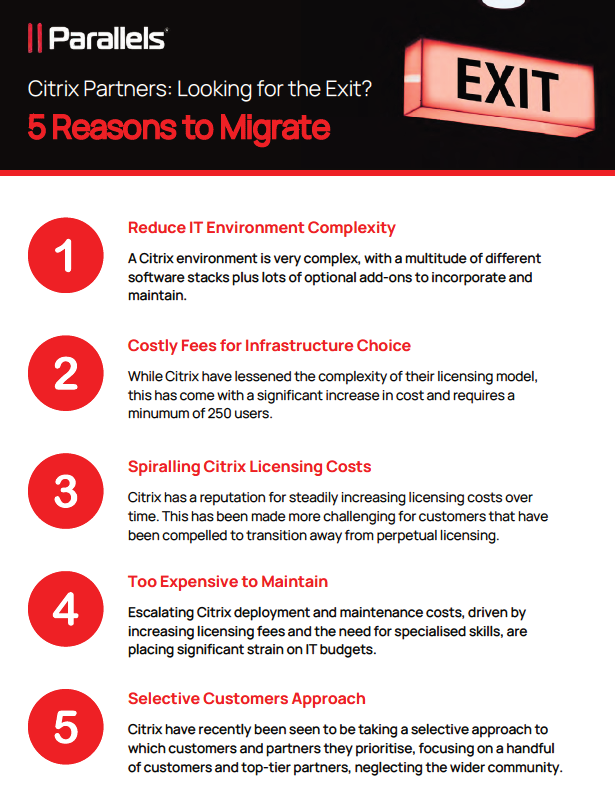
Review five reasons an organisation might evaluate an alternative to Citrix, including cost, complexity, administration, flexibility and user experience. Assess each consideration against your own environment before making a decision.
Download the PDF Guide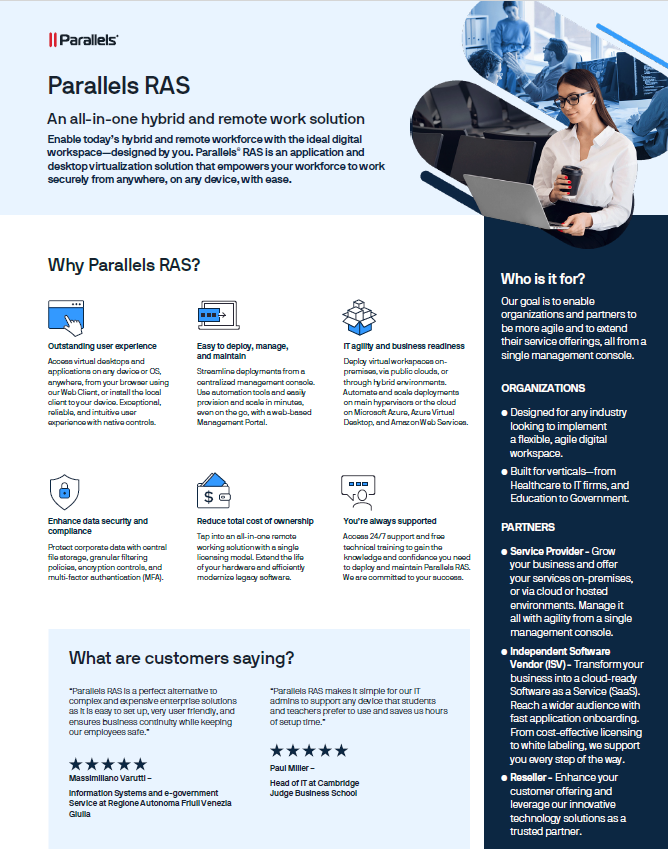
Explore the Parallels RAS approach to delivering and managing virtual applications and desktops across supported on-premises, cloud and hybrid environments.
Download RAS Datasheet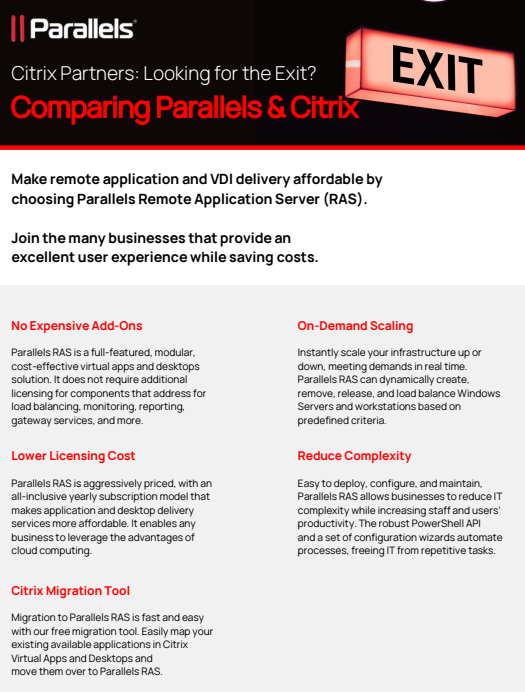
Use the comparison guide to review the two platforms against the areas that matter to your organisation, such as administration, deployment, user access, infrastructure and licensing.
View Comparison PDFThese guides are intended to support your evaluation. Suitability, savings and migration effort depend on your existing environment, licensing, workloads and requirements.
Parallels RAS 21.2 expands infrastructure flexibility with a Custom Provider Framework, Nutanix Prism Central support, Scale Computing HC3 9.6 support, and additional Azure and Azure Virtual Desktop options, including Trusted Launch and Azure Availability Zones.
The release also improves browser-based file handling, including local file access and multi-file transfers in the RAS Web Client. Other updates include expanded authentication options, USB device redirection, macOS clipboard support and more granular Gateway and API access controls.
Check the current product documentation and supported configurations when planning an upgrade or migration, as capabilities can vary by deployment and client platform.
Successful application delivery depends on more than the platform. Consider identity, network connectivity, application compatibility, user devices and support processes from the start.
Review users, applications, current virtualisation, licensing, access and business requirements.
Compare delivery options and plan architecture, security, resilience and migration dependencies.
Coordinate implementation, configuration, user testing and transition to the agreed environment.
Help maintain the wider IT environment and review requirements as your organisation changes.
Workspace technology relies on secure infrastructure, connectivity, data protection and responsive user support. Form IT provides services across these areas.
Support your users, devices and business applications with responsive IT support and managed services.
Explore IT Support →Review access controls, endpoint security, network protection and the wider security of your organisation.
Explore Cyber Security →Get support with technology assessments, virtualisation strategy, planning and project delivery.
Explore IT Consultancy →Plan and support server, storage, cloud and virtualisation infrastructure around your application needs.
Explore Infrastructure →Consider data availability, protection, storage and recovery as part of your workspace design.
Explore Data Services →Connect users, locations, applications and hosting environments reliably and securely.
Explore Network Services →Explore cloud infrastructure and services that may support desktop and application delivery.
Explore Azure →Review Form IT's Citrix page alongside your current application and virtual desktop requirements.
Explore Citrix →Browse the wider set of vendors and technologies featured in the Form IT partner ecosystem.
Browse Partners →Parallels Remote Application Server is a platform for delivering centrally managed virtual applications and desktops to users across supported devices and deployment environments.
Parallels RAS is an option to evaluate when reviewing application and desktop delivery. The right choice depends on workload compatibility, licensing, security, infrastructure, administration and migration requirements.
RAS supports virtual app and desktop delivery across supported deployments, including on-premises and hybrid environments. Parallels DaaS is a cloud-native service built around Azure Virtual Desktop.
Yes. Parallels product families provide ways to deliver applications, desktops or browser-based access to users on supported devices. The best solution depends on the use case and security model.
Parallels Desktop Business and Enterprise editions include organisation-focused deployment, licence administration and virtual machine controls. Features depend on the selected edition.
Form IT can discuss the current environment, user requirements, application dependencies, security, licensing and migration planning, and help determine the right next step.
Talk to Form IT Solutions about Parallels RAS, a possible Citrix alternative, cloud desktop delivery or running Windows applications on Mac. We can help review the wider technology requirements and plan a practical approach.